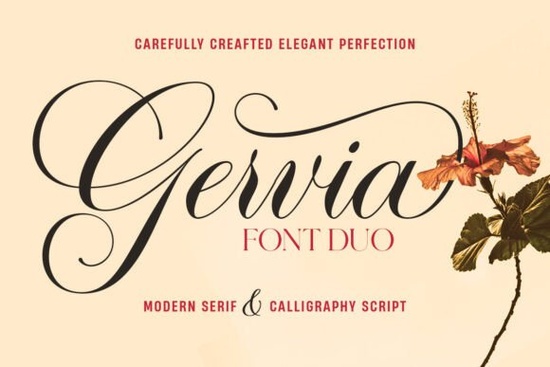
If you're searching for a font duo that balances elegant handwriting with a clean, readable serif, the Gervia Font is worth a close look. It pairs a casual calligraphy script packed with swashes and alternates alongside a straightforward modern serif that comes in regular and italic. That combination means you can handle everything from a romantic wedding invitation to a professional product label without switching font families.
What’s inside the Gervia Font Duo?
The duo is made of two distinct fonts that work together seamlessly:
- Gervia Script Pro – A calligraphy font with over 800 unique alternative characters. It supports simple Latin and Pro Latin, so it works for many languages. The swashes and casual feel make it ideal for logos, signatures, and quotes.
- Gervia Serif – A modern serif with a classic look. You get both regular and italic versions, which add structure and readability when paired with the script.
Because both fonts share a similar mood – simple, beautiful, and easy to read – you can mix and match them without your design feeling disjointed.
Who is this font duo actually for?
Whether you’re a print-on-demand seller designing t-shirts or mugs, a small business owner creating your own branding, or a crafter making invitations, this duo covers a lot of ground. The script adds personality; the serif adds credibility. Together they’re useful for:
- Logos and branding (the serif works particularly well for a clean wordmark)
- Product packaging (the script can highlight product names, the serif body text)
- Wedding invitations and stationery (swashes fit romantic or rustic themes)
- Signage and labels (both fonts stay legible at small sizes)
- Book covers, posters, and quotes (the script adds flair)
How does Gervia Font compare to other Creative Fabrica script fonts?
Creative Fabrica has hundreds of script fonts, so why pick this one? The main difference is the 800+ alternates inside Gervia Script Pro. That means you can avoid the “same looking” letters that often happen with simpler scripts. Every glyph has multiple options, so your text never repeats exactly. Many script fonts offer 50–100 alternates; having 800+ gives you far more flexibility, especially for longer phrases or monograms.
If you also need a companion serif that isn’t overcomplicated, the Gervia Serif’s regular and italic versions are straightforward and modern – no extreme decorative shapes, just clean lines that let the script shine.
Looking for other font duos?
If you enjoy this pairing style, you might also like Brittiany Signature Font for a more handwritten feel, or Youngboy Font if you prefer a bolder script. For a completely different romantic look, Barbie Font offers a playful vibe. And if you need a script with even more swashes, Juliette Font is another strong option. Finally, Beauty Gingerbread Font is a good choice for holiday or whimsical projects.
Tips for using a font duo effectively
A font duo only works if you use the two styles deliberately. Here are a few practical suggestions:
- Use the script for emphasis. Headlines, product names, or the bride and groom’s names – that’s where the swashes add impact.
- Use the serif for bodies of text. Menus, product descriptions, or event details stay readable.
- Don’t mix two script fonts. The duo already gives you one script and one serif; adding a third font often crowds the design.
- Try italic for a lighter feel. Gervia Serif’s italic version works well for subheadings or captions.
What about commercial use?
The Gervia Font on Creative Fabrica is available with a standard commercial license (check the specific product page for details). That makes it suitable for selling products – like wedding invitations on Etsy or print-on-demand items – without needing an extended license for small runs.
Practical next step
Before buying, download the free trial or check the preview on Creative Fabrica to see how the alternates work in a real design. Open your design software, type a few words, and cycle through the swashes until you find a combination that feels natural. That will give you a much better sense of whether the duo fits your typical projects.
Final tip: If you’re designing a logo or a monogram, start with the script version first – let its character guide the overall style, then bring in the serif for supporting text. That small workflow change often saves time and creates a more cohesive result.
Try It Free Fonts for Personal & Creative Projects
 League Spartan: Modern Typography for Digital Design
 How to Use the Barbie Font in Your Designs
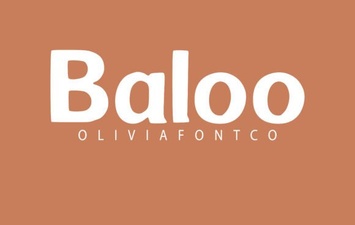 Creative Projects Using the Baloo Font
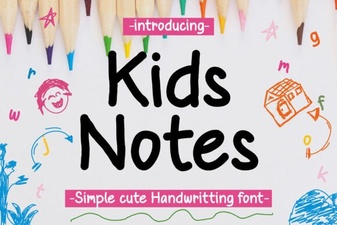 Unique Fonts for Daily Kids Journals & Projects
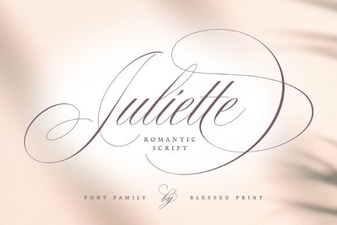 Juliette Font: Creative Typography for Modern Design