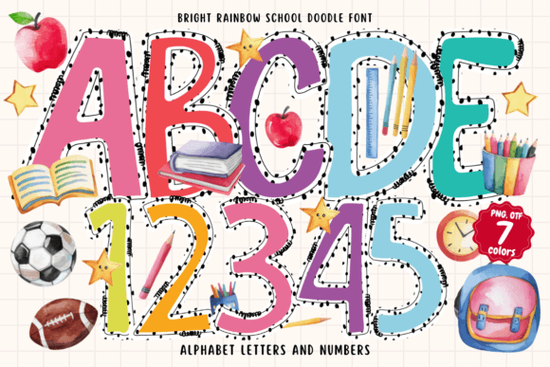
If you are designing something that needs a burst of color and playful energy, the Bright Rainbow School Doodle Font is worth a closer look. This colorful typeface combines handwritten lettering with bold rainbow hues and tiny doodle accents, making it perfect for projects that aim to be cheerful and festive. Whether you work with digital art, print products, or school materials, this font brings a lively feel without extra effort.
What exactly is a color font and how does it work?
This font is an OpenType-SVG color font. Unlike standard fonts that only display a single color, color fonts contain multiple colors within each character. In the case of Bright Rainbow School Doodle Font, each letter comes with built-in rainbow colors and small doodle elements like stars or swirls. This means you don't need to manually color each letter – the color is embedded right in the font file.
To use it, you need software that supports OpenType-SVG. That includes newer versions of Adobe Photoshop, Illustrator, Silhouette Studio, and Inkscape. Note that standard OTF or TTF files from this product are not compatible with Cricut machines. If you use Cricut, you might need to look into other colorful font options that work differently.
Which software works best with this font?
The font works smoothly in several popular design programs. Here is a quick list of compatible software:
- Adobe Photoshop (2017 or later)
- Adobe Illustrator (2018 or later)
- Silhouette Studio (Business Edition or higher)
- Inkscape (with specific SVG font handling)
If you work in print-on-demand or small business design, these tools are common. For example, you can create vibrant birthday invitations or holiday decorations directly in Photoshop. The font automatically keeps its bright colors, so you save time on coloring.
Can I use this font with Cricut Design Space?
Short answer: not directly. The OTF and TTF files from this product are not compatible with Cricut because Cricut Design Space does not support OpenType-SVG color fonts. However, there are workarounds. You could convert designs to images or look into other colorful fonts that are Cricut-friendly. If you need a different style, check out this playful pattern font which might work with simpler formats.
What kind of projects work well with this colorful doodle font?
Because the font is so vibrant, it shines in projects that need a happy, youthful touch. Think about school projects, posters for kids events, or party invitations. The doodle accents add charm without extra drawing. Here are some ideas:
- Birthday and party invitations
- Holiday cards and decorations
- Classroom displays and learning materials
- Social media graphics for playful brands
- Stationery and sticker designs
- Children's book covers or illustrations
If you are a print-on-demand seller, this font can give your products a unique, hand-drawn feel. For example, it works well on mugs, t-shirts, or notebooks aimed at teachers or parents. Pair it with a simple background to let the rainbow colors stand out.
What other fonts pair well with Bright Rainbow School Doodle Font?
Since this font is bold and colorful, it pairs best with simple, clean fonts for body text. A neutral sans-serif or thin handwritten font can balance the look. If you want to stick with a school or rainbow theme, you might like this rainbow school font for a different style. Or for a spring vibe, this spring bee font adds a whimsical touch.
How do I download and install OpenType-SVG fonts?
Installing this font is similar to other fonts, but with a few extra steps. Follow these steps:
- Download the font files from your purchase. You will get both OTF/TTF and OTF-SVG files.
- Your system may show a warning about the font – that is normal for color fonts.
- Install the font by double-clicking the OTF-SVG file and clicking "Install" on Windows or using Font Book on Mac.
- Open your compatible software and select the font from the font menu. It will usually be listed under the name "Bright Rainbow School Doodle".
- Type your text and see the colors and doodles appear automatically.
If you run into issues, check the Bright Rainbow School Doodle Font page for the Ultimate Font Guide that explains more details. That guide covers troubleshooting and compatibility tips.
Practical checklist to get started
Before you dive into your next project, here is a quick checklist to make sure everything goes smoothly:
- Check your software version – ensure it supports OpenType-SVG (Photoshop CC and later, Illustrator CC 2018+, etc.)
- Use the correct file – install the OTF-SVG file, not the regular OTF, for color display.
- Test on a simple project – try a short word or phrase to see the colors and doodles.
- Avoid Cricut – if you use Cricut, consider alternative formats or software like Inkscape to create images.
- Pair with simple fonts – use this font for headlines or accents, not long paragraphs.
Once you have everything set, you can start creating fun, rainbow-inspired designs that stand out. Whether for school, home, or business, this font adds a cheerful touch that people notice.
Learn More Spring Bee Font: Design for Nature-Friendly Websites
 Designing with Composition Book Pattern Fonts
 Rainbow School Font: Design Tips & Creative Projects
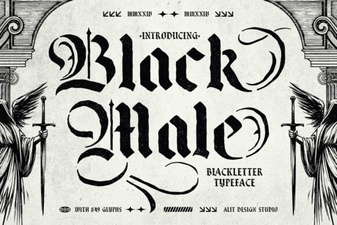 Distinctive Black Male Typefaces for Your Designs
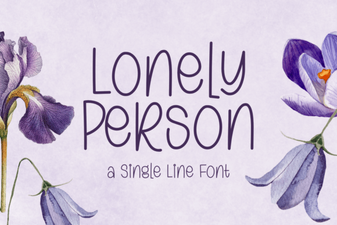 Fonts for Personal & Creative Projects
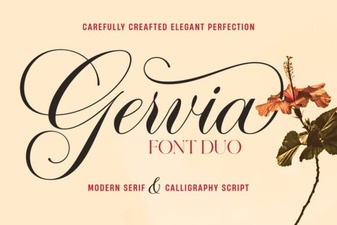 Gervia Font: a Modern Design Tool for Creatives