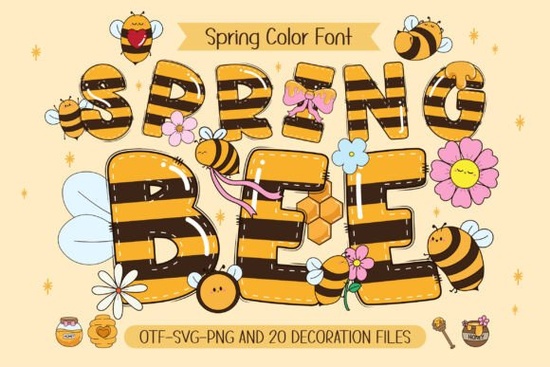
If you’re looking for a font that captures the cheerful buzz of spring, the Spring Bee Font is a solid choice. Designed with a honeybee pattern and paired with twenty matching doodle cliparts, it’s built for playful, kid‑friendly projects. Whether you’re creating spring posters, custom T‑shirts, or DIY crafts, this typeface brings a light, happy tone to your work.
What makes Spring Bee Font different from other seasonal fonts?
Most spring fonts focus only on floral swashes or pastel colors. Spring Bee includes an actual bee pattern on the letters and a set of twenty clipart doodles featuring a chubby, smiling bee and colorful blossoms. This extra artwork means you don’t need to hunt for separate illustrations – the font and clipart are ready to drop into your project together. The doodles cover flowers, honeycomb shapes, and a cute little bee that works well for mascots or fun accents.
Can I use Spring Bee Font with my Cricut or cutting machine?
That depends on which version you download. The black version (standard OTF/TTF) is fully compatible with Cricut Design Space, Silhouette Studio, and other cutting software. You can write out names, quotes, or short messages and cut them in vinyl or print‑then‑cut. The color version of this font contains the multi‑colored bee pattern and is not compatible with Cricut. It works in Photoshop, Illustrator, Silhouette Studio (Business Edition), and Inkscape – programs that support layered or color fonts. If you plan to use the color font, check your software first. For more details, review the Ultimate Font Guide included with your purchase.
Which file type do I need?
- OTF/TTF (black version) – works in any standard design program, including Cricut Design Space.
- Color font files (OTF/TTF of color version) – not compatible with Cricut; use with Photoshop, Illustrator, Silhouette Business Edition, or Inkscape.
What clipart comes with this font?
The twenty doodles are line art and filled illustrations. You’ll find items like:
- A cute, pudgy bee with wings
- Honeycomb hexagons
- Flowers in different shapes (daisies, tulips, little buds)
- Small hearts and leaf sprigs
Each doodle comes in the same playful style as the letters. You can easily combine them with the font to create custom name designs, greeting cards, or iron‑on decals for kids’ clothing.
What kind of projects work best with Spring Bee Font?
Because the font and clipart are both light and cheerful, they fit perfectly in spring‑themed or nature‑inspired designs. Here are a few ideas:
- Classroom decorations – bulletin board headers, name tags, and “Happy Spring” banners
- T‑shirts and totes – use the black version for cut vinyl, or the color version for heat transfer paper
- Digital invitations – birthday or garden party invites with the bee doodle as a mascot
- DIY craft labels – for homemade honey, soaps, or gift baskets
- Custom name art – layer the bee pattern over a child’s name for a keepsake poster
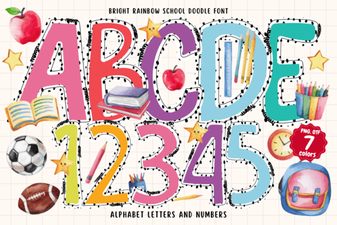
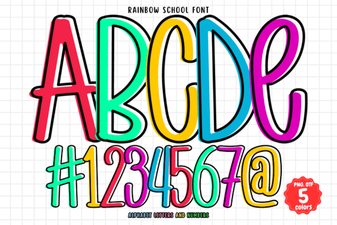
If you enjoy bright, happy lettering, you might also like the bright rainbow school doodle font – it uses colorful accents and cute icons for a similar kid‑friendly vibe. Another option is the composition book pattern font, which adds a notebook texture to your words, great for classroom projects. For a simpler rainbow style, the rainbow school font gives you bold, multicolored letters without extra doodles.
Is Spring Bee Font easy to read?
Yes. The letters are clear and rounded, making them legible even when sized down. The bee pattern is additive – it doesn’t obscure the shape of the letter. If you’re printing a short quote for a poster or a name on a shirt, people will be able to read it at a glance. The doodles are separate elements, so you can control their size and placement.
Practical checklist before you download
To make sure Spring Bee Font works for your project, tick off these three points:
- Check your software compatibility. If you’re using Cricut Design Space, stick with the black version (standard OTF/TTF).
- Decide if you need the color version. If you want the full bee pattern and have Photoshop, Illustrator, Silhouette Business Edition, or Inkscape – great. Otherwise, the black version still has a nice pattern (it’s just monochrome) and works everywhere.
- Plan your clipart usage. The 20 doodles are separate files. Import them into your design program and scale them to match your font size for a cohesive look.
After you’ve downloaded the font, try making a simple spring greeting card first. Use the bee doodle as a centerpiece and write “Bee Happy” in the font. You’ll quickly see how the elements work together – perfect for a quick DIY project or a small batch of product listings.
Explore Design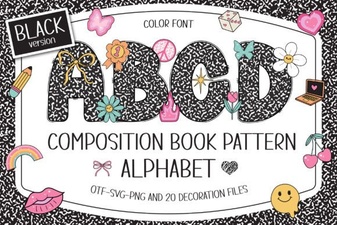 Designing with Composition Book Pattern Fonts
 Bright Rainbow School Doodle Font for Creative Projects
 Rainbow School Font: Design Tips & Creative Projects
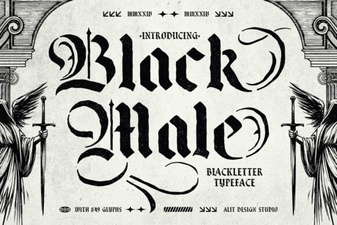 Distinctive Black Male Typefaces for Your Designs
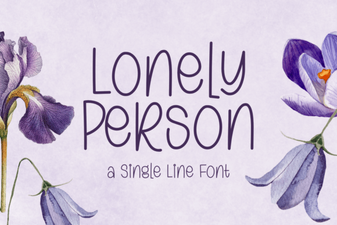 Fonts for Personal & Creative Projects
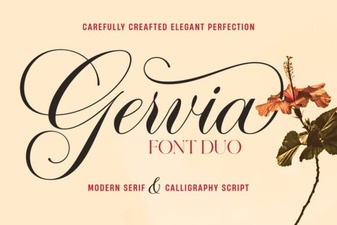 Gervia Font: a Modern Design Tool for Creatives