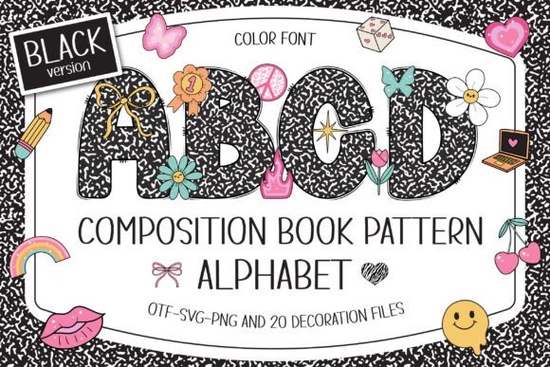
If you’ve ever wanted a font that instantly brings back memories of school notebooks while still feeling fresh and playful, the Composition Book Pattern Font might be exactly what you’re looking for. It takes the classic black-and-white marble cover design and turns each letter into a little canvas filled with Y2K-style doodles. Plus, you get twenty cliparts to mix and match. Whether you’re making classroom decorations, scrapbook pages, or T‑shirt designs, this font gives your work a nostalgic twist without looking outdated.
What makes this font different from regular school-themed fonts?
Most “school” fonts stick to simple handwriting or block letters. This one goes a step further. Every uppercase character has a built‑in pattern that looks like the cover of a composition book, and on top of that, each letter is decorated with tiny doodles think stars, swirls, smiley faces, and other Y2K icons. The result is a font that feels hand‑crafted and full of personality. If you’ve ever used a bright rainbow school doodle font, you’ll notice the Composition Book Pattern Font leans more into a retro, monochrome aesthetic but with the option to add color using the cliparts.
Can I use this font with Cricut?
Yes, but it depends on which version you choose. The black‑and‑white version of the font works fine in Cricut Design Space and most cutting machines. However, the color version is only compatible with programs like Photoshop, Illustrator, Silhouette Studio, and Inkscape. The OTF/TTF files for the color version won’t open correctly in Cricut, so if you’re planning to cut layered vinyl or draw with a pen, stick to the black version. Always check the product’s Ultimate Font Guide before you download.
Where can I use this font in my projects?
The versatility is one of the best things about this font. Here are some ideas that work well for print‑on‑demand sellers, teachers, and hobbyists:
- Classroom materials – bulletin board headings, name tags, word walls, and learning posters.
- Personalized gifts – mugs, tote bags, or notebooks with someone’s name written in the doodle style.
- Scrapbooking and journaling – the Y2K cliparts make it easy to add a playful border or accent.
- T‑shirt and merch sublimation – the black version transfers cleanly onto fabric when used with heat press or sublimation paper.
- Party decorations – banners, invitations, or cupcake toppers for a back‑to‑school or 90s‑themed party.
- Social media graphics – use the color version in Photoshop to design eye‑catching quotes or announcements.
If you want something even brighter for kids’ projects, you might also like a rainbow school font that adds a multicolor effect without extra manual coloring.
Do I need design experience to use the cliparts?
Not really. The twenty cliparts are included as individual characters in the font file, so you can type them just like letters. If you’re using the black version, you can size and rotate them in Cricut Design Space to place around your text. For the color version, you’ll need to use a program that supports color fonts, but the process is still as simple as typing. Beginners can start by combining a child’s name with a few cliparts to make custom book labels or locker tags.
What kind of projects get the most attention with this style?
From what I’ve seen, products that mix the vintage school look with modern pop‑culture references really stand out. Think “studygram” posters, teacher appreciation gifts, or sublimation tumblers with playful doodle names. The font also works well for DIY craft projects like decoupage or scrapbook album covers. If you’re selling on Etsy, this font can help you create unique digital templates without needing illustration skills. For a similar feel with a touch more color, check out the spring bee font colorful fonts collection it’s great for spring classroom themes.
How do I make sure my designs look polished?
The font itself is busy, so a little planning goes a long way. Here are some tips:
- Keep backgrounds simple. Use solid white, black, or pastel colors so the doodles don’t get lost.
- Stick to one or two words per line for readability long sentences can feel cluttered.
- Pair the font with a clean sans‑serif for body text, like in a poster where the title is in Composition Book Pattern and details are in a simple font.
- If you’re using the color version, test your design in your program before exporting to avoid unexpected color shifts.
- For cut files, remember that small details in the doodles might not cut cleanly on materials like cardstock. Adjust the size to at least 3 inches for better results.
Quick checklist before you start your next project
Use this to avoid common mistakes:
- Decide if you need black (cut‑ready) or color (raster‑friendly).
- Open the product page and download both OTF and TTF if you’re unsure.
- Read the Ultimate Font Guide for your specific software.
- Test the font in a small file before committing to a large order.
- Try combining the cliparts with a composition book pattern font variation to see which mix you like best.
Getting hands‑on with the font is the best way to see its potential. Start with a simple project like a name card for a student desk and then experiment with the cliparts. You’ll quickly find ways to make this nostalgic style feel brand‑new again.
Get Started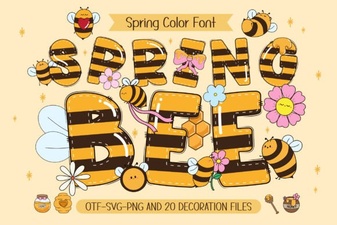 Spring Bee Font: Design for Nature-Friendly Websites
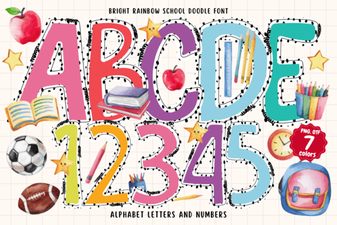 Bright Rainbow School Doodle Font for Creative Projects
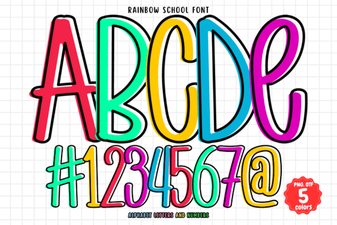 Rainbow School Font: Design Tips & Creative Projects
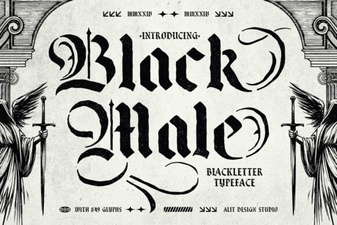 Distinctive Black Male Typefaces for Your Designs
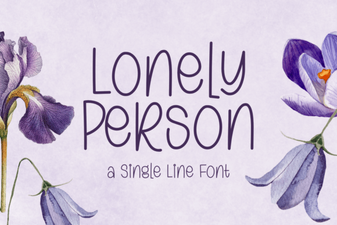 Fonts for Personal & Creative Projects
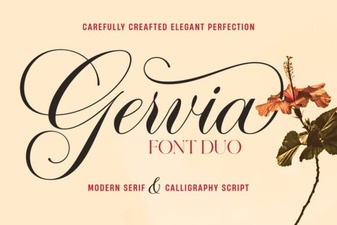 Gervia Font: a Modern Design Tool for Creatives