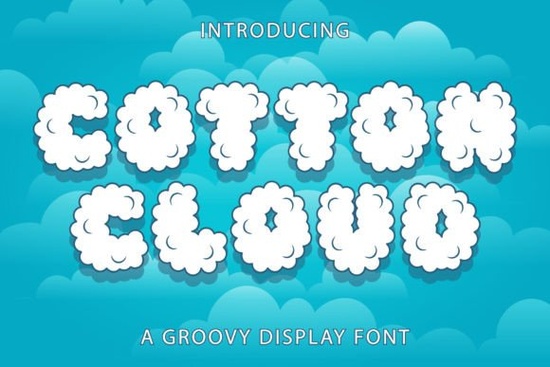
If you're looking for a display font that feels both playful and nostalgic, the Cotton Cloud Font might be exactly what you need. It’s a retro style typeface with a groovy, versatile character that works across many projects. Designers, crafters, and print-on-demand sellers often need a font that stands out without shouting too loud and this one manages that balance nicely.
What makes Cotton Cloud different from other retro fonts?
Many retro fonts lean heavily into one specific decade, like the 70s or 90s, and can feel limiting. Cotton Cloud feels more flexible. It has that bubbly, groovy look but still reads clearly for headlines and short text. You can use it on greeting cards, social media graphics, or even product labels without worrying about legibility. The weight and spacing are pleasant, making it easy to pair with other fonts or decorative elements.
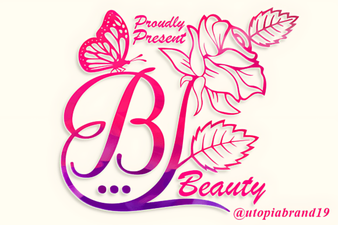
If you enjoy floral or nature-inspired designs, you might also like the Beauty Flower Monogram Font for a softer contrast. For a sweeter, more delicate approach, the Cute Bow Font adds a complementary touch. All three can work together in a cohesive project kit.
Where can you use a groovy display font like Cotton Cloud?
- Greeting cards and invitations – Its playful vibe fits birthday, baby shower, or retro-themed parties.
- T-shirt and apparel designs – Bold enough for short slogans or quotes, especially on light-colored fabrics.
- Social media posts – Headlines and quotes in Instagram stories or Pinterest pins stand out.
- Product packaging – Small businesses selling candles, soaps, or stationery can use it for labels.
- Digital planners and stickers – Crafters and hobbyists love it for adding a fun headline to printable pages.
Whether you're a print-on-demand seller testing new designs or a creative hobbyist making gifts, this font adapts to many formats.
Does Cotton Cloud work for body text or only headlines?
It's primarily a decorative display font, so you’ll want to use it for short pieces of text rather than long paragraphs. For example, a single word or a short phrase in all caps looks great. If you need body text, pair it with a clean sans-serif like Montserrat or a simple serif. The contrast helps the retro feel pop without overwhelming the reader.
Also, consider scaling – at larger sizes, the groovy details become more noticeable. At smaller sizes, keep it to short words or initials to maintain readability.
What kind of projects benefit most from this font style?
- Retro-themed branding – Coffee shops, bakeries, or vintage clothing brands can use it for logos or signage.
- Craft kits and printables – Etsy sellers selling digital scrapbooking kits or party printables will find it fits well.
- Children's book covers or illustrations – The playful lines appeal to younger audiences.
- Event flyers – Garage sales, community events, or school functions can use it for a friendly look.
If you're building a collection of decorative fonts, the Cotton Cloud Font page shows other similar options that might inspire different directions.
One practical tip: always test your font in the actual layout before finalizing. Some display fonts behave differently depending on kerning or letter spacing. With Cotton Cloud, the default spacing is fairly generous, but you may want to tighten it for longer phrases or loosen it for a more airy feel.
How do you pair Cotton Cloud with other design elements?
Because it’s a rounded, somewhat organic font, it pairs nicely with geometric shapes or clean lines. For floral or monogram work, combine it with the Beauty Flower Monogram Font for a feminine, whimsical contrast. For a more structured look, try a bold sans-serif for body text and use Cotton Cloud only for the main headline.
Color tips: pastels and warm earthy tones like peach, mustard, or teal enhance the retro feel. Avoid overly dark backgrounds unless you increase contrast with a light outline.
A quick practical checklist before you download
- Check licensing – Make sure the font is licensed for your intended use (commercial vs personal). Creative Fabrica usually includes standard license details.
- Test in your design software – Download the demo or try the preview to see how it renders at different sizes.
- Pair with a complementary font – Have a simple sans or serif ready for body text.
- Consider your audience – Is the retro style appropriate for your target demographic? It works well for informal or nostalgic themes.
- Save backups – Keep the font file in a safe folder, especially if you use it across multiple projects.
Once you have a clear idea of how and where you'll use it, Cotton Cloud can become a go-to choice for playful headline work. Give it a try on a small project first to see how it feels in your workflow.
Download Now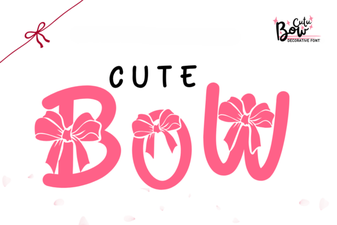 Creative Font Ideas: Using Cute Bow Letters
 Beauty Flower Font for Elegant Monogram Projects
 Distinctive Black Male Typefaces for Your Designs
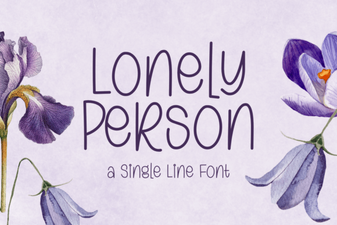 Fonts for Personal & Creative Projects
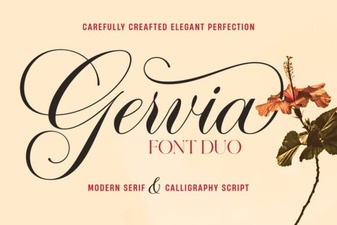 Gervia Font: a Modern Design Tool for Creatives
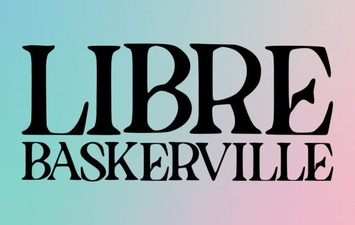 Libre Baskerville Font: Elegance for Modern Design